What changed?
See which parts of your app were added, changed or removed, at a glance
PR Lens draws animated architecture and data flow diagrams, inside the pull request, so you can understand the change and catch what could break before you read a single line. Open it on a live canvas to walk through it, or click any part to see its code
What a human reviewer needs to know to judge a change, even when an agent wrote it
See which parts of your app were added, changed or removed, at a glance
See the other parts of your app that depend on this change, even the ones the diff never touches
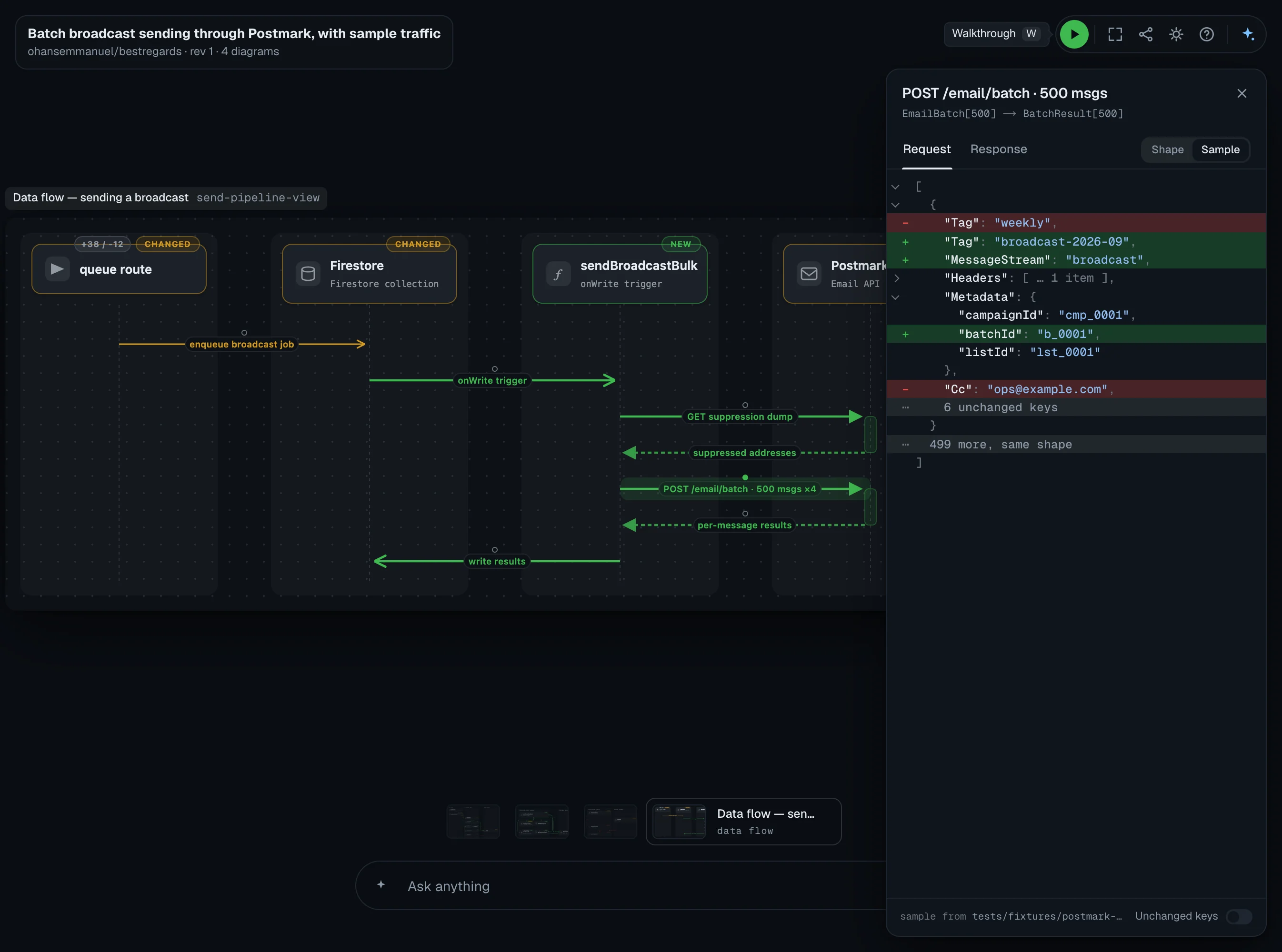
Follow a request step by step, and see the data it carries at each step
Get warned about bugs, security holes and design problems in the same comment. Autofix any of them, or hand them to your coding agent
A custom renderer built for humans. With zero cognitive overload
See what truly matters before you read any line of code. Software is changing. The way we read it is as well
Understand the change in context of your system architecture. What changed, what's removed, and what new components are introduced
A pull request touches one part and moves several. The parts it did not touch stay on the page, so you build a model of the system rather than a patch
See how the system moves and connect the dots faster. Animation is usually a distraction. Here it is intentional
Follow the data as it moves through your app. Click any arrow to see the request and response it carries, and what the change did to them
Go from the picture to the code in one click. The diff opens right beside the diagram, so you never lose your place
Comment on any line while the problem is in front of you. It lands on the pull request in GitHub, under your own account
Every canvas is live. Connect your agent to drill even deeper when needed
One comment on the pull request, rewritten on every push
Install the App on GitHub, or connect GitLab or Bitbucket. Your next pull request gets the comment
Open the link on any pull request and PR Lens walks you through the change, one step at a time, zooming in on the part that matters at each step
The review marks each problem on the diagram, so you can see what it could break
The signup event sends the password hash to the queue
POST /signup puts the whole user row on the signup event, so anyone who can read the queue can read the hash.
src/routes/signup.ts:31
Fix: Send only the user id. The worker can load what it needs from the user store.
Every view is drawn from one typed document, so the same change always gives the same picture
{
  "kind": "graph",
  "lenses": [
    "architecture",
    "data-flow"
  ],
  "lanes": [{
    "id": "api",
    "label": "API"
  }],
  "nodes": [{
    "id": "signup-route",
    "label": "POST /signup",
    "lane": "api",
    "delta": "modified"
  }],
  "edges": [{
    "from": "signup-route",
    "to": "welcome-service",
    "kind": "event",
    "delta": "added"
  }]
}
Lanes, nodes and edges, each carrying what the change did to it. Nothing in here says how to draw anything.
Small fix or big refactor, you only see what changed and where it lives in your app
One thing changed, so you see one box. You can still click it to dig into the code
Famous PRs redrawn with PR Lens
A new kind of renderer. A pure function from a schema-checked document to an SVG, optimised for one thing: being understood at a glance.
import { render } from "@coldtea/pr-lens-renderer";

const { svg } = render(doc, { lens: "architecture", theme: "dark" });No matter how smart machines get, the future is still human.
We're building for a world where you stay in charge of your software, and understand it well enough to guide the AI agents that write it.
 Ohans E.CEO, Coldtea
Add PR Lens to GitHub, GitLab or Bitbucket, and every new pull request is explained and reviewed. Or paste the prompt into the coding agent you already use
Pick the repositories once. Every pull request opened in them is drawn and redrawn on each push, with no key of yours anywhere in it.


HighSecurity
Webhook marks the invoice paid before checking the signature
Anyone who can reach the endpoint can mark an invoice paid, because
markPaidruns on the parsed body.Fix: Call
verify(request)before parsing the body and return 401 when it fails.▸ 🤖 Prompt for AI agents